What's on Tap
A personal CRM for everyday life. It tracks what's going on, keeps my growing LinkedIn network in order, and mixes health, habit and diet data into trends I can act on.
What’s on Tap is a personal CRM for my everyday life. It has three jobs: keep track of everything going on, from the calendar to the promises I’ve made; keep my network in order as it grows on LinkedIn; and put my health data next to my habits and diet so the trends worth acting on show up on their own.
I built it with Claude, and Claude also runs it. Scheduled tasks do the syncing, sorting and pattern-finding every week, and the hub reads everything live from a Supabase database.
Try the demo. It runs the real app on made-up data for a made-up person named Sam, with a short guided tour. Click around, mark things done, answer its questions. Nothing you do leaves your browser.
Why I built it
Life keeps getting more complicated, and my network grows faster than I can remember who’s who. I was already tracking pieces of it with a database and a dashboard: one small app for strength training, one for meals, one for health logs, one to keep an eye on the database itself. Each lived on its own page, and none of them talked to each other.
The original inspiration was Dharmesh Shah’s YouSpot, an AI-native CRM built for solopreneurs. It got me wondering what a CRM would look like if it covered a whole life instead of a business. If YouSpot is the CRM for a one-person company, What’s on Tap is a personal CRM for everyday folks trying to get a handle on a life that keeps getting busier.
So the goal became one home for all of it, with insights I can act on instead of raw data.
What it does
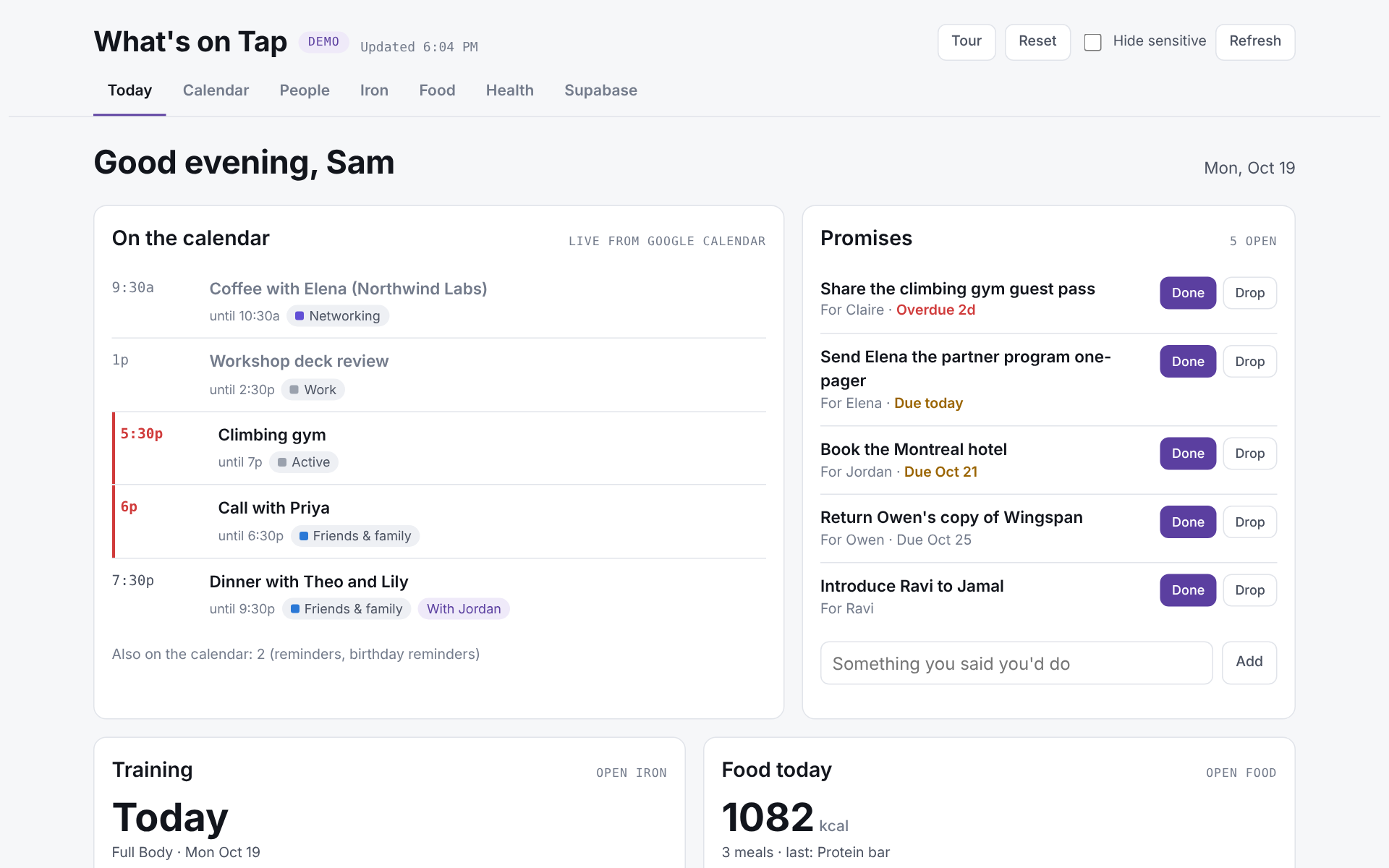
- Today. Live calendar events, each one filed into a category like work, networking, trips or health. Reminders and birthday notes get tucked out of the way. Next to it sits a list of promises.
- Promises. Claude reads my sent email and meeting agendas for things I said I’d do for someone (“I’ll send you that deck by Friday”) and keeps them in front of me until they’re done.
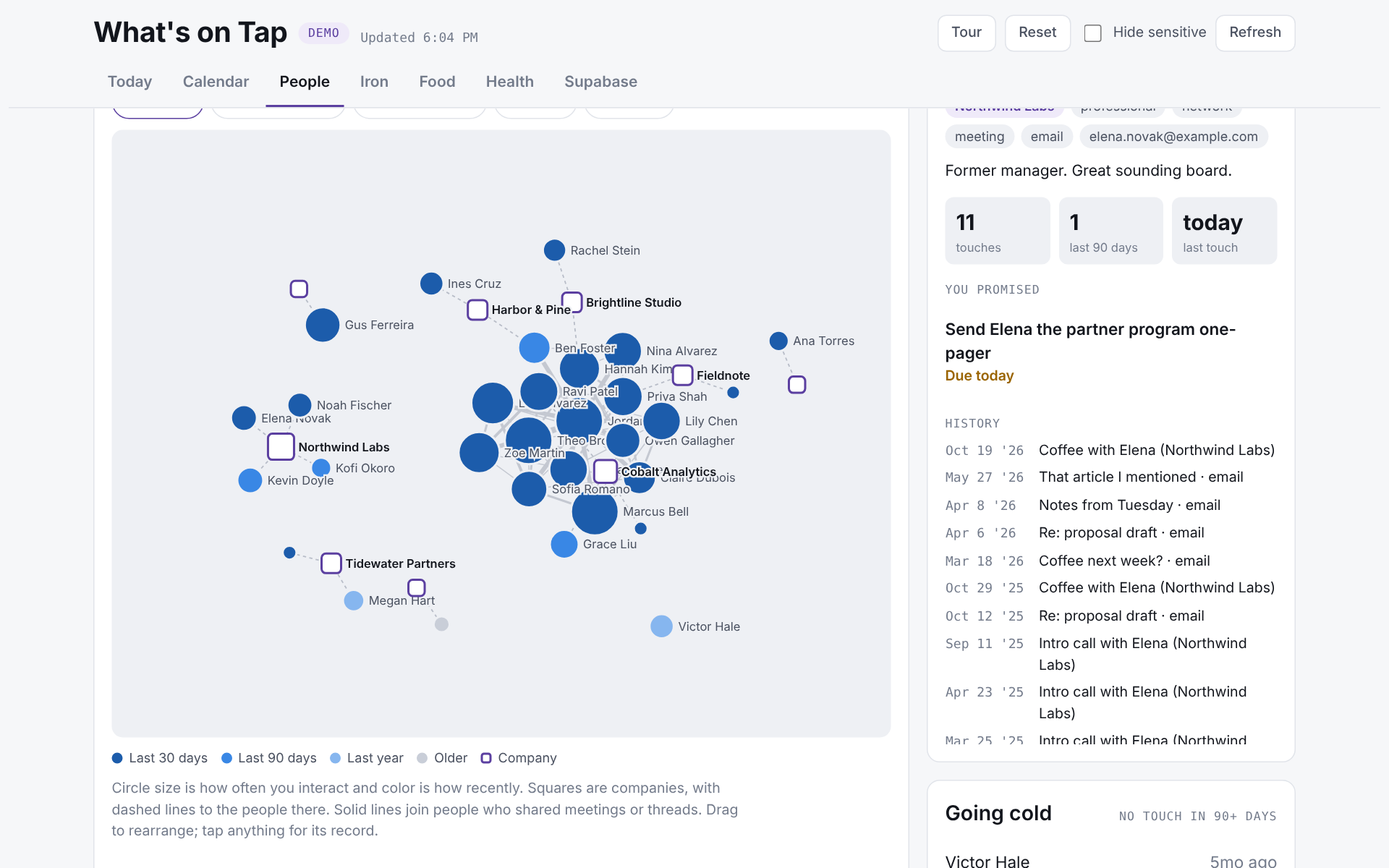
- People. My network as a relationship graph, built from a monthly LinkedIn export, shared meetings and email threads, with companies researched and filled in. It flags who’s going quiet and who’s new this month, so a good connection doesn’t fade just because I lost track of it.
- Review. When Claude isn’t sure about something, like which category an event belongs in or whether two contacts are the same person, it asks me instead of guessing. One tap to answer.
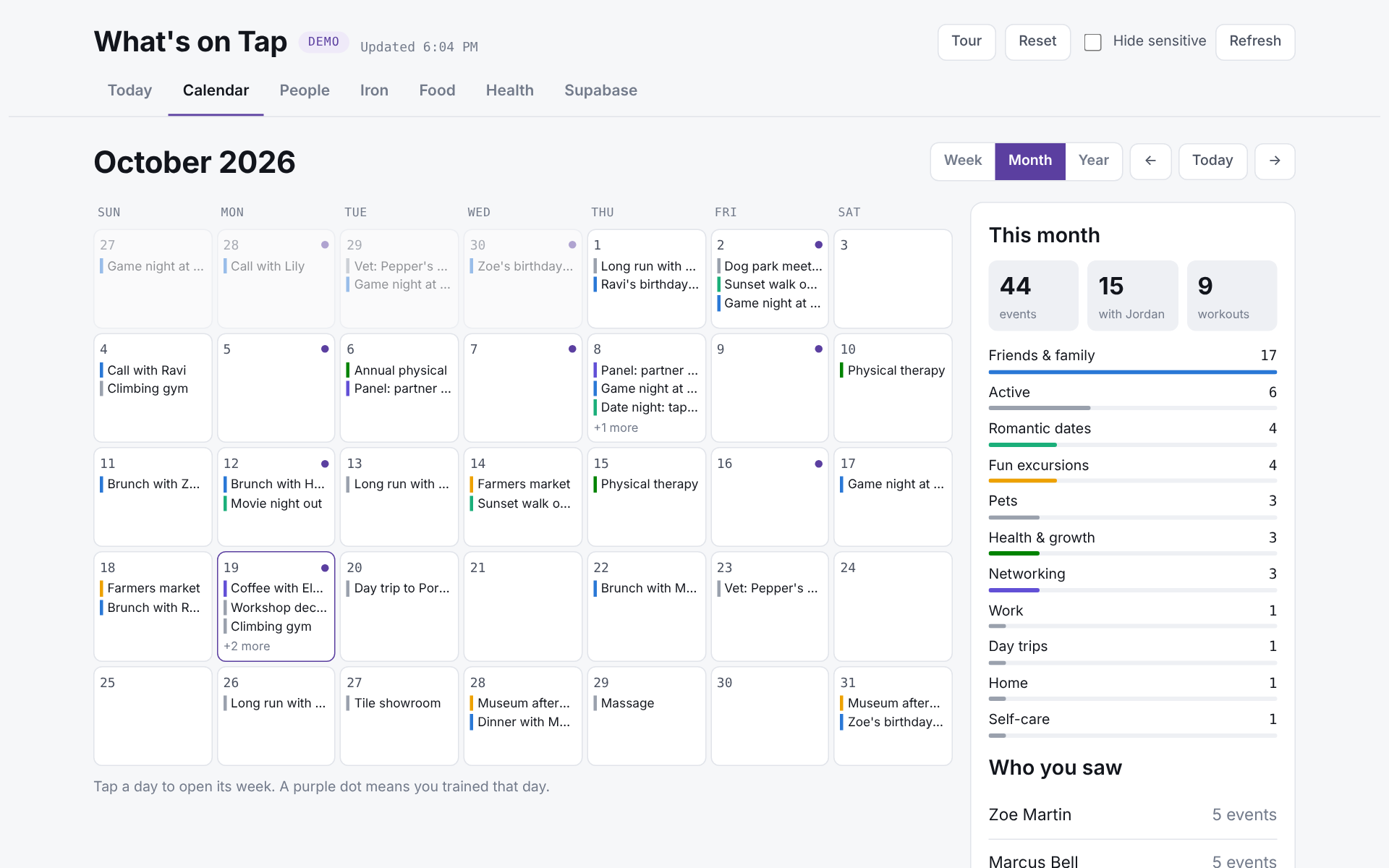
- Calendar. Two years of events by week, month or year, color-coded by category, so I can see where my time actually goes.
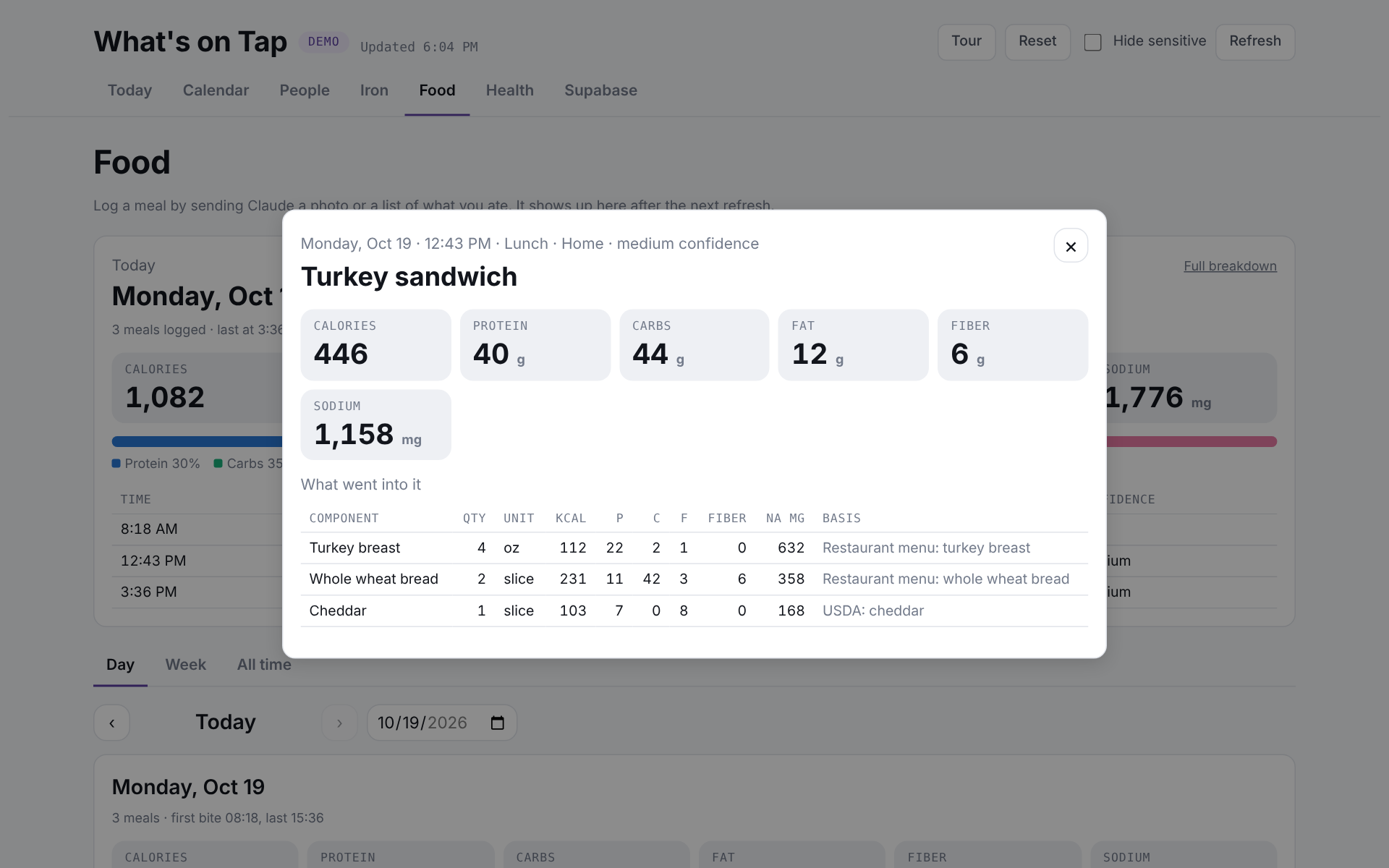
- Iron, Food and Health. Strength sessions logged by chatting with Claude. Meals logged from a photo, with every component estimated separately so I can check the work. Sleep, steps, heart rate and workouts from Apple Health, plus years of history from a one-time Garmin export.
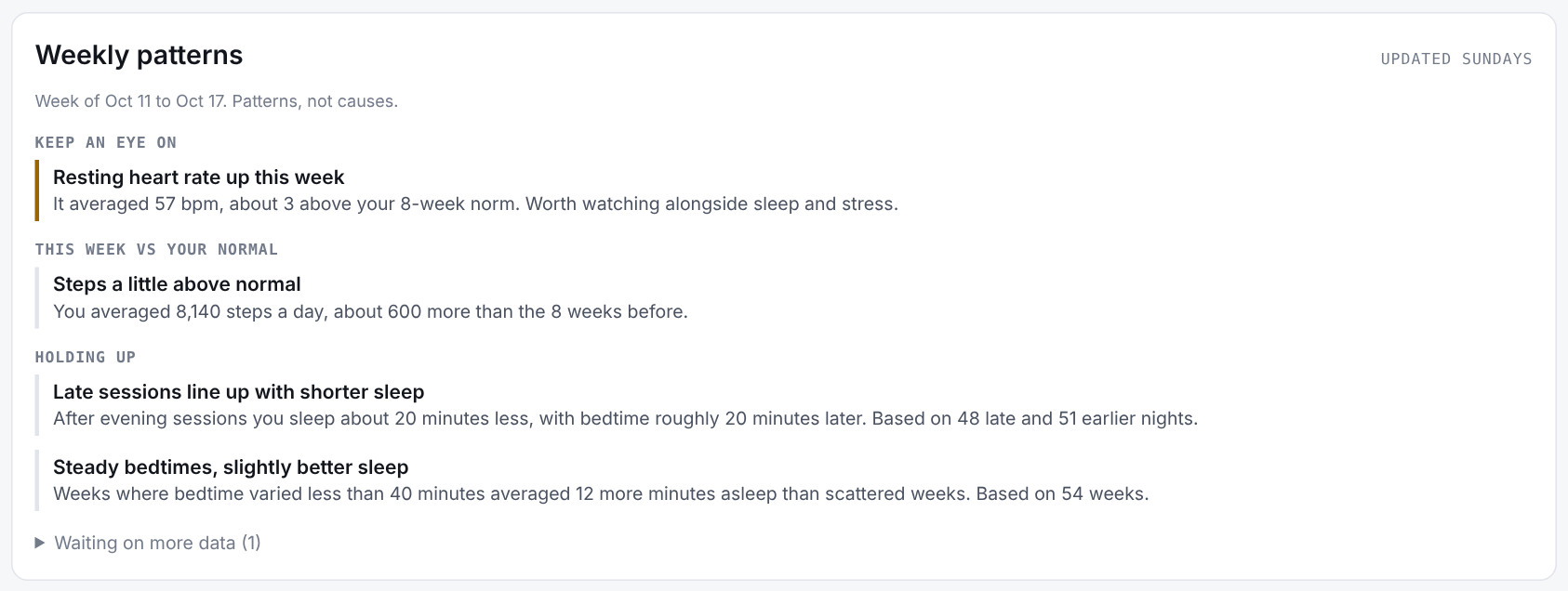
- Weekly patterns. Every Sunday a scheduled task compares the week against my normal and writes up what’s holding up and what to keep an eye on.
Insights I can act on
This is the part I care about most. Health data on its own is a pile of numbers. Set it beside my training log and what I ate, and real questions become answerable. Do late workouts line up with shorter sleep? Does a late dinner change how I sleep? Is my resting heart rate creeping up during a busy stretch?
Every week the hub checks questions like those against my own history and boils the answers down to a short list: what to keep an eye on, how this week compares with my normal, and which patterns keep holding up. What I do with that is up to me, like moving a workout earlier or finishing dinner sooner.
How it works
Everything lives in one Supabase (Postgres) database, split into schemas for the CRM, health, fitness, food and insights. Row level security is on with no public policies, so nothing is reachable through the public API.
Claude does the plumbing through MCP connectors: Google Calendar, read-only Gmail, Google Drive for a monthly LinkedIn export, Granola for meeting notes, and Supabase itself. Three scheduled tasks keep it current:
- Monday sync. Pulls new calendar events and sent email, categorizes events, links people and companies, finds new promises, and queues anything it’s unsure about for review.
- Sunday patterns. Computes the weekly comparisons in SQL, then has Claude write them up in plain language.
- Meeting notes. Every few days, new recorded calls get stored and indexed so they’re searchable later.
The hub itself is a single page published as a Claude artifact. It reads the database live through the Supabase connector, so there’s no server of my own to run.
What changed along the way
I cut time tracking. The first plan logged hours per category. Then I looked at how I actually use my calendar: I block extra time around things, or make an event bigger so I won’t miss it. The hours wouldn’t have meant much. Categories and who I spent time with turned out to be the useful part, so that’s what stayed.
Asking beats guessing. Anything Claude isn’t reasonably sure about goes into Review as a one-tap question, capped at a handful a week, instead of getting filed on a guess. The categories grow the same way: when several events don’t fit anywhere, it proposes a new category instead of filing them under Other forever.
The numbers come from SQL, not the model. For the weekly patterns, every figure is computed by a database function with minimum sample sizes built in. Claude only writes the sentences. If there isn’t enough data yet, the page says what it’s waiting on instead of drawing a conclusion from four nights of sleep.
Small apps became one app. Each tracker started life as its own page. Bringing them under one roof is what made the cross-cutting insights possible, like seeing whether late workouts line up with shorter sleep.
By the numbers
As of October 2026: 157 people and 62 companies in my network graph, 337 categorized calendar events going back to October 2024, 1,239 days of health data including 1,025 nights of sleep, 330 logged workouts, and 3 scheduled tasks keeping it all current.
What’s next
- A chat box inside the hub, so I can ask questions of my own data without leaving the page.
- An open-source starter. A baseline Supabase schema and setup guide for everyday people who want the same thing for their own lives, built on a free Supabase account.
About the demo
The demo runs the same code as the real app. A small fake backend answers every query with invented data that’s generated relative to today, so it always looks current. Every person, company, event and number in it is made up, and one private tab from the real app is left out. Your changes stay in your browser, and Reset puts everything back.